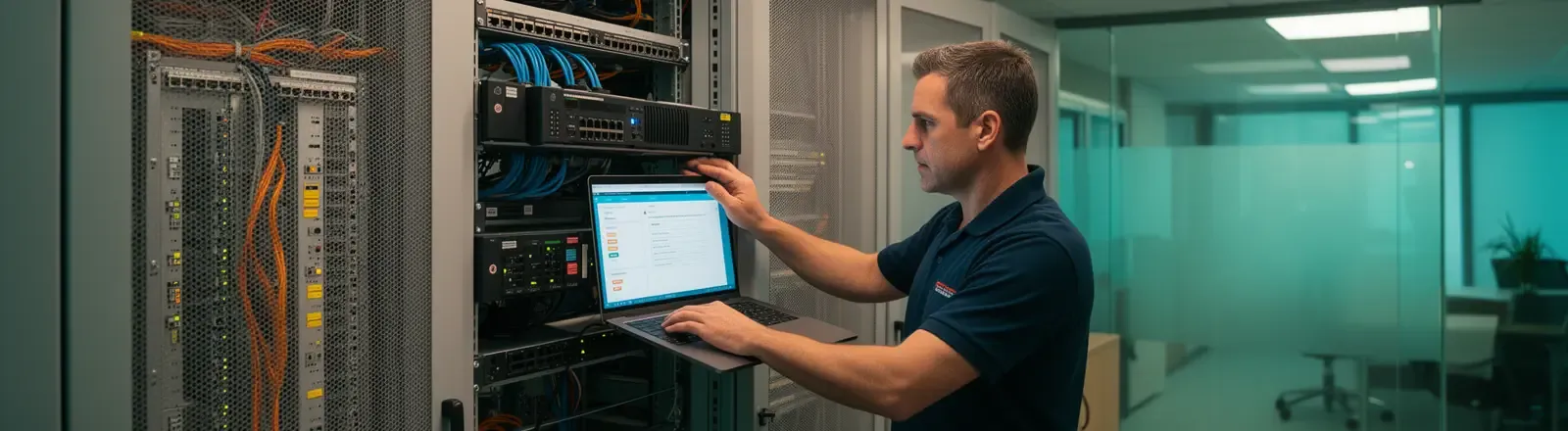
Server installation services for businesses that need stable production
A new server should not be treated as “hardware that boots”. In a business environment, the server may carry identity, files, applications, permissions, backups, remote access, security policies and recovery expectations. Our server installation services cover the full project: design, installation, configuration, hardening, testing, documentation and handover into managed support.
Impulso Tecnológico installs physical, virtual and hybrid servers for organisations that need reliable infrastructure from day one. We work with Windows Server, Linux, virtualisation, storage, networks, firewalls, backup and monitoring, connecting the project with our network infrastructure, cybersecurity and managed IT services when the environment requires it.
When a company should install or replace a server
The need usually appears before the server fails. Ageing hardware, expired warranties, operating systems approaching end of support, storage with no room to grow, backups that have never been restored, improvised remote access or business applications depending on a single machine are all clear risk signals. A new server may also be required when opening an office, centralising files, deploying an ERP, creating a corporate domain, reorganising the network or separating users, production systems and backups.
Before recommending hardware or licences, we review the workloads the server must support, the number of users who depend on it, the available maintenance windows, the critical data involved and the recovery level the business expects. The installation matters, but the right decision starts with sizing, architecture and continuity planning.

What our server installation project includes
Technical design and sizing
We define the scope of the server: roles, operating system, storage, memory, CPU, redundancy, network, virtualisation, licences and acceptance criteria. We also review dependencies with applications, users, permissions, printers, scanners, VPN, remote sites, backup and third-party providers. The goal is to avoid installations that work on day one but fail at the first growth step.
Physical installation, rack and network
For physical servers, we coordinate rack mounting, power, UPS, labelling, cabling, switch connectivity, segmentation and basic access rules. When the project includes a server room, CPD or communications rack, we align the server with the network design so it does not become an isolated component. A well-installed server should also be easy to identify, maintain and diagnose.
Operating system, roles and virtualisation
We install and configure Windows Server or Linux depending on the case: Active Directory, DNS, DHCP, file services, permissions, print services, Hyper-V, VMware, corporate applications or specific application servers. We also prepare virtualised environments when separating services, reducing risk and simplifying recovery makes sense. For cloud or hybrid scenarios, we connect the installation with Microsoft 365, Azure or hybrid architecture.
Hardening, access and security
A new server should start with a secure baseline. We apply patching, configuration hardening, administrator control, least-privilege permissions, firewall rules, secure remote access, audit policies and account separation where appropriate. Security should not be postponed: if the server concentrates identity, files or applications, it also concentrates risk.
Backups and restore testing
We do not consider an installation complete until backup has been designed and tested. We define what is backed up, how often, where it is stored, how long it is retained and how it is restored. Whenever the environment allows it, we recommend a 3-2-1 strategy with off-site or immutable copies, especially if the server stores critical data or supports production.
Documentation and handover
We deliver practical documentation: inventory, IPs, roles, installed services, location, basic diagram, relevant rules, access procedure, dependencies, backup and maintenance recommendations. This avoids the classic “mystery server” nobody wants to touch because nobody knows exactly how it was configured.

Physical, virtual, cloud or hybrid server
Not every company needs the same server model. Some businesses still need a local server because of applications, performance, peripherals, latency or operational control. Others can move part of the workload to cloud or work in a hybrid model. The decision should not be driven by fashion, but by business requirements, security, cost, continuity and maintenance.
| Option | Best fit | Risk to control |
|---|---|---|
| Local physical server | Local applications, heavy files, direct control and offices with their own operations. | Redundancy, warranty, off-site backups and preventive maintenance. |
| Virtualised server | Several separated services, easier recovery and better use of hardware. | Storage design, misuse of snapshots and real capacity. |
| Cloud or hybrid | Distributed access, Microsoft 365/Azure integration or flexible growth. | Recurring cost, identity security, connectivity and governance. |
Implementation process
- Initial diagnosis: we review the current environment, users, applications, network, security, backup and constraints.
- Technical proposal: we define architecture, scope, materials/licences, work plan and acceptance criteria.
- Preparation: we coordinate windows, access, previous backup, configuration prerequisites and rollback plan.
- Installation and configuration: we deploy hardware or virtual machine, operating system, roles, security, network and monitoring.
- Migration and testing: we validate access, permissions, performance, backup, restore and critical dependencies.
- Documentation and support: we close the project with documentation and, when needed, hand over into managed support.

Continuity after the server is installed
Installation is only the beginning. A server needs patching, event review, capacity checks, backup verification, firmware updates, user management, alerts and preventive maintenance. We can integrate the server into a managed support model: monitoring, maintenance, periodic review and incident response.
This approach reduces the risk of the server slowly degrading until it causes downtime. It also makes decisions easier: expanding storage, renewing warranty, separating workloads, moving part of the environment to cloud, strengthening backup or improving security before it becomes urgent.
How to choose a server installation provider
The provider should not simply sell hardware or run an installation wizard. For a company, what matters is that the server is operational, secure, documented and maintainable. Before deciding, ask:
- Is the current environment reviewed before sizing the server?
- Does the proposal include backup, restore testing and documentation?
- Are network, firewall, permissions, remote access and security included?
- Is there a migration, test and rollback plan?
- Who maintains the server after installation?
- Can the provider also cover users, network, cloud and cybersecurity?
For deeper technical context, see our guide on server installation for businesses. This service page explains how we run the project from a delivery and support perspective.